Collaboration and productivity software keeps teams connected and work moving — spanning chat and video, shared documents and whiteboards, file storage, and all-in-one workspaces. The right mix depends on how your team communicates and where work happens. This guide covers the main types, how AI has changed them in 2026, and how to choose without drowning in tools.
What collaboration and productivity software covers
The category includes team messaging, video meetings, shared docs and wikis, digital whiteboards, file storage and sharing, and task or project workspaces. Many tools now try to be a single hub for several of these. In 2026 AI is the connective tissue — summarising meetings and long threads, drafting docs and replies, and answering questions across a team's collected knowledge. The differentiator is reducing context-switching so people spend less time managing tools and more time working.
The features that actually matter
- Communication — reliable chat and video that people actually enjoy using.
- Real-time collaboration — co-editing docs, whiteboards and files together.
- A connected hub — fewer apps and less switching between them.
- Search — finding any message, doc or file instantly.
- Security and permissions — control over who sees and shares what.
- Cross-platform and offline — dependable on desktop and mobile.
- Integrations and AI — links to your other tools plus meeting summaries and drafting.
- Small and remote teams: an easy chat-and-video hub with file sharing.
- Larger organisations: secure, scalable communication with admin controls.
- Doc-heavy teams: shared docs, wikis and knowledge management.
- Meeting-heavy teams: strong video, recording and AI summaries.
- All-in-one seekers: a workspace that combines chat, docs and tasks.
What to expect on pricing
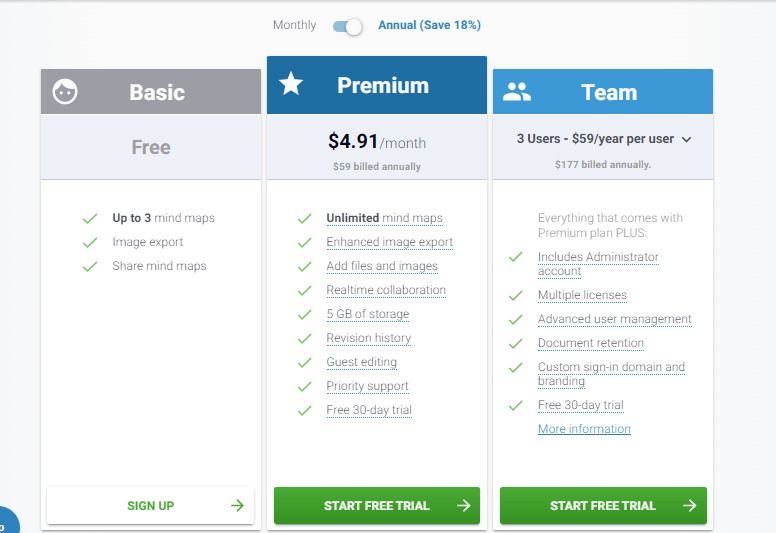
Most tools charge per user per month, with free tiers for small teams and higher plans unlocking storage, admin controls, longer history and AI. Costs add up across a large team and across multiple tools, so consolidate where you can and check which features you rely on sit behind higher tiers.
Common pitfalls to avoid
- Tool sprawl and constant context-switching between apps.
- Notification overload that hurts focus.
- Per-seat costs that multiply across a big team and several tools.
- Low adoption if a tool doesn't fit how the team works.
- Security and data-ownership gaps as sharing spreads.
Every tool below is ranked by verified buyers who actually pay for it — no sponsored placements. Filter by price, rating and use case, then compare your shortlist to find the tools your team will actually use.